
Evals: Checking If It Is Any Good
A test you can run again, instead of a feeling
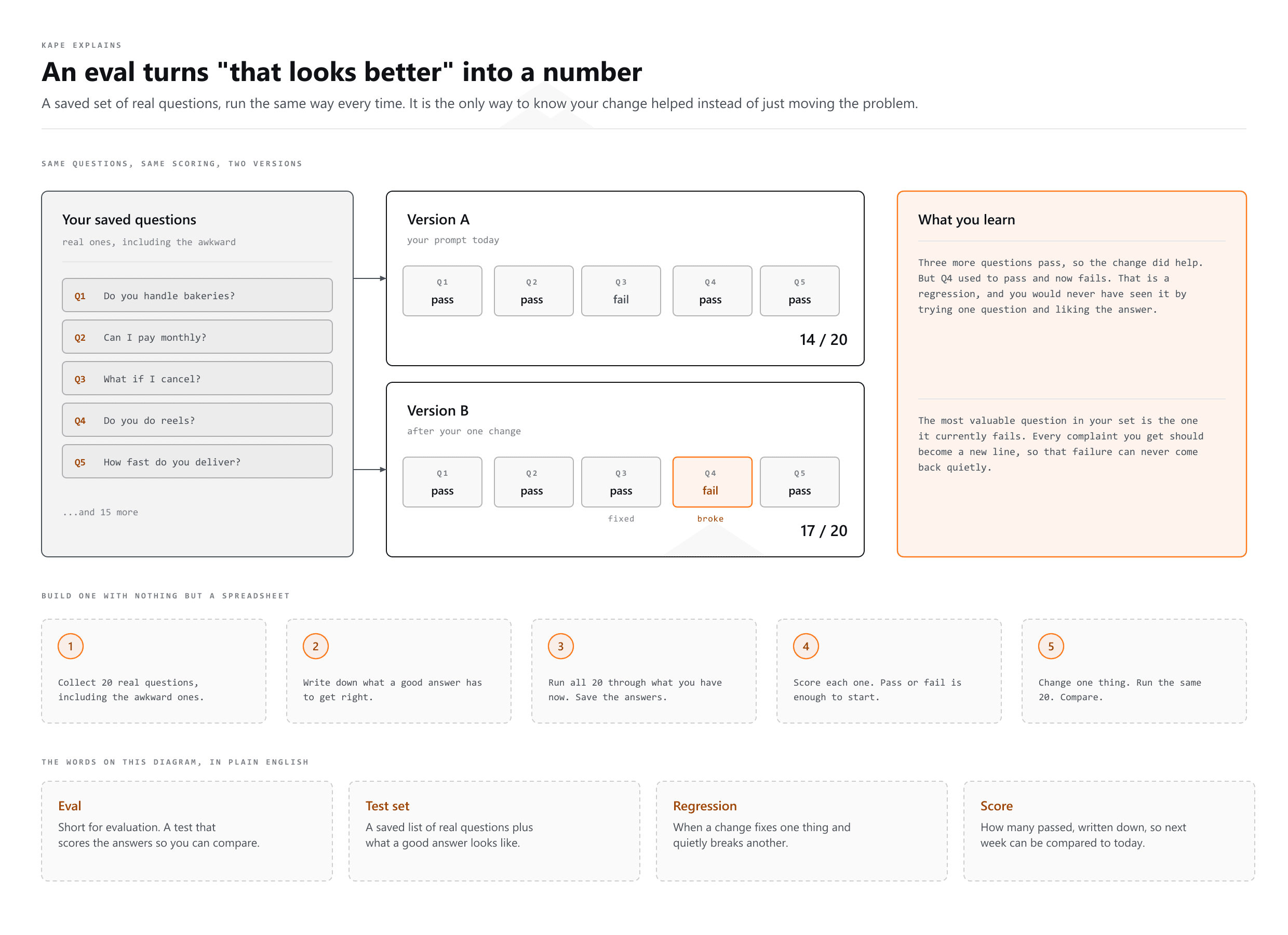
An eval is a repeatable test of your AI's output. It replaces "that looks better to me" with a score you can compare, which is the only way to know a change actually helped.
The trap everyone falls into
You change your prompt. You try it once. The answer looks better. You ship it.
Two weeks later something else is worse and you have no idea when it broke, because "looks better" was never written down and you only ever tested the one question you happened to think of.
What an eval is
A saved set of real questions, run against your AI, scored the same way every time. When you change something, you run it again and compare the scores.
How to build one without any tools
- Collect 20 real questions. Real ones, from actual use, including the awkward ones.
- Write down what a good answer contains for each. Not the exact words, the things it must get right.
- Run all 20 through your current setup and save the answers.
- Score each one. Pass or fail is enough to start with.
- Change one thing. Run the same 20 again. Compare.
That is an eval. A spreadsheet is a perfectly good tool for it. The discipline matters far more than the software.
Three ways to score
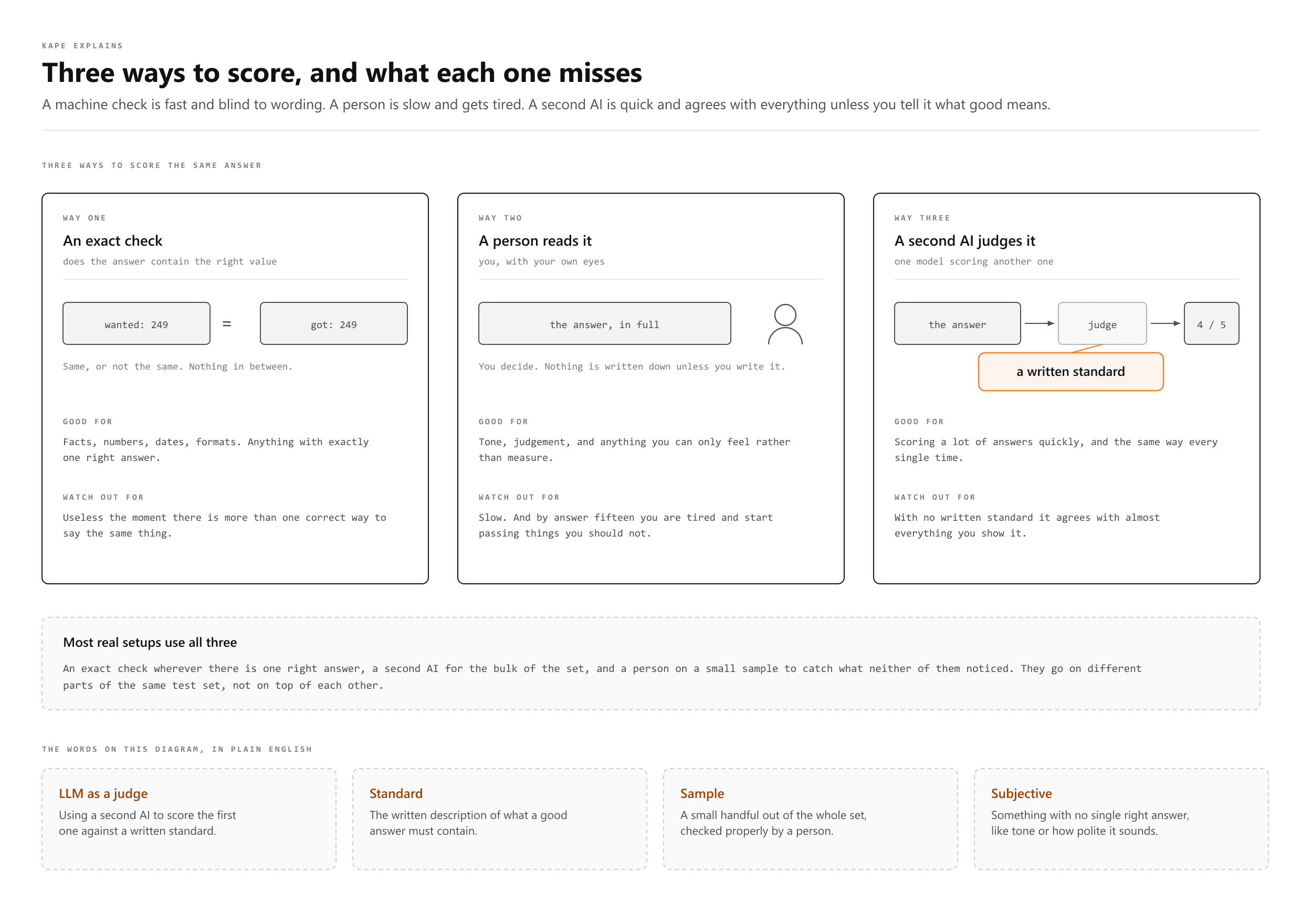
| Way | Good for | Watch out for |
|---|---|---|
| Exact check | Facts, numbers, formats | Only works when there is one right answer |
| A person reads it | Tone, judgement, anything subjective | Slow, and you get tired and lenient |
| A second AI judges it | Scoring a lot, quickly | The judge needs a written standard or it just agrees with everything |
Most real setups use all three: an exact check where there is a right answer, a judge for the bulk, and a human on a sample.
The point is catching what you broke
Changing a prompt to fix one problem very often breaks something else. You tighten the tone and it stops asking clarifying questions. You add a rule and it starts ignoring an older one.
You will not notice by trying one question. You notice because question 14, which used to pass, now fails.
For a freelancer
If you have a prompt you rely on for client work, keep five real inputs and their good outputs in a document. Before you change the prompt, run all five. After you change it, run them again. That is a tiny eval, it costs ten minutes, and it is the difference between improving your prompt and just moving the problem.
More words
- Prompt Engineering
Writing the instruction so the answer comes back right
- Context Engineering
Choosing what the AI gets to see while it answers
- Loop Engineering
Teaching an AI to check on its own, no prompt needed