
Hermes Setup
Your own AI assistant, running 24/7 and messaging you on Telegram
Hermes is a free, open source agent from Nous Research that lives on a small server instead of a browser tab. It learns how you like things done, remembers you between chats, and can run jobs on a schedule. Setting one up takes about twenty minutes and no coding.
What Hermes actually is
Hermes is a free, open source AI assistant from Nous Research. The difference from the AI you already use is not how clever it is. It is where it lives.
ChatGPT and Claude live in a tab. They are awake while you are looking at them and asleep the rest of the time. Hermes runs on a small server that you own, so it is awake at 3am, it can start a conversation instead of waiting for one, and it talks to you in Telegram rather than in a browser.
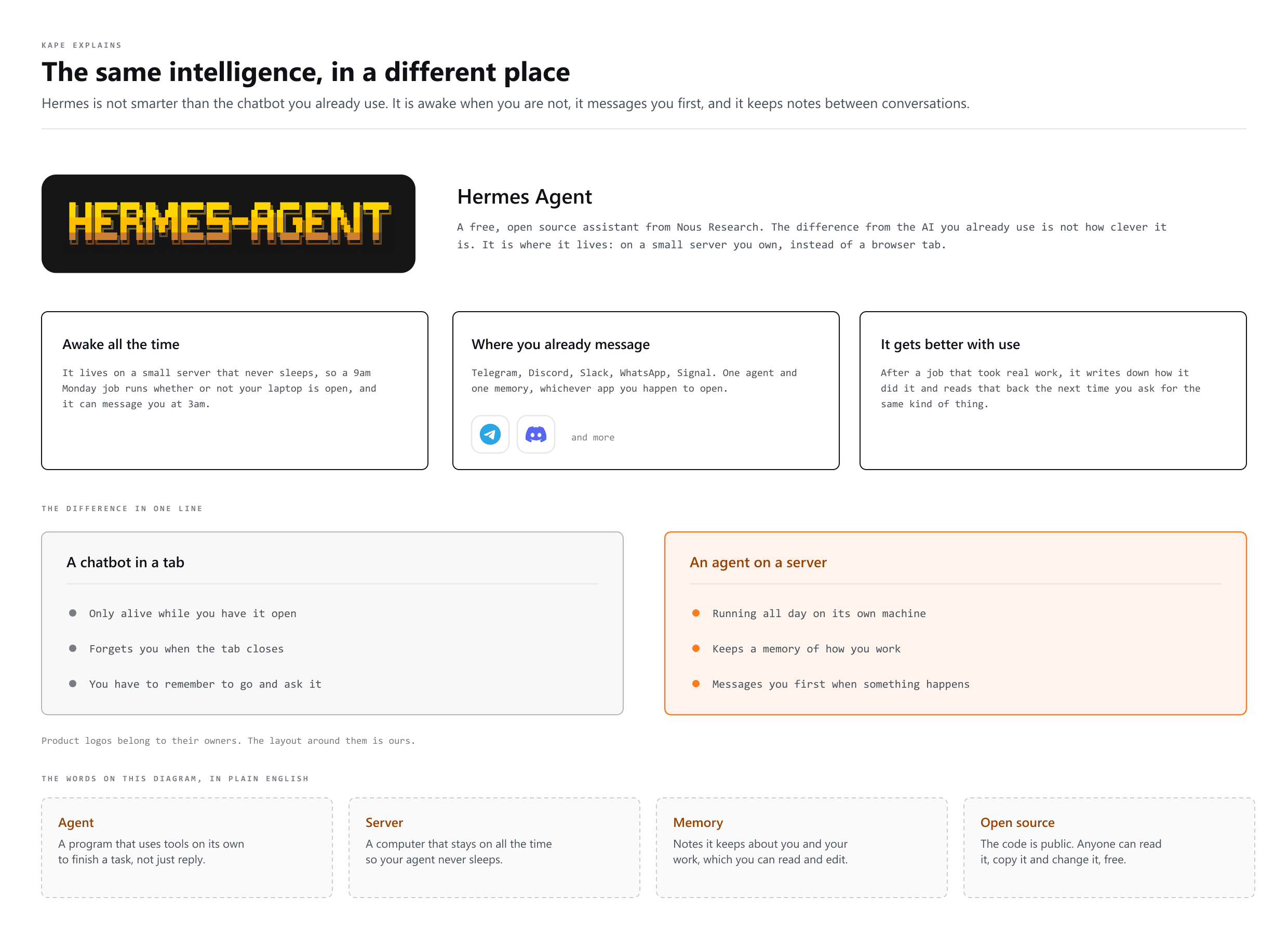
Four things make it different from a normal chatbot:
- It writes its own skills. Finish a task that took real effort and you can tell it to save the method. Next time it already knows your way of doing it.
- It remembers you properly. Not just facts, but how you like replies, what you are working on, what you told it to stop doing.
- It works on a schedule. "Every Monday at 9am, send me what is trending in my niche." You say it once; it happens every week.
- It follows you between apps. Telegram, Discord, Slack, WhatsApp, Signal. Same agent, same memory, whichever one you happen to open.
Would you rather watch it
NetworkChuck walks through the same setup on video, start to finish. It is his work, not ours, and it is worth twenty minutes if you prefer watching someone do a thing before you try it yourself. Everything you need is written out below either way, so nothing on this page depends on you pressing play.

Where to run it
You can run Hermes on your own computer, on a spare mini PC, or on a VPS, which is just a small computer you rent in the cloud. For most people the VPS is the right answer, and the reason is simple: the good parts only work if the thing is always on.
The five steps
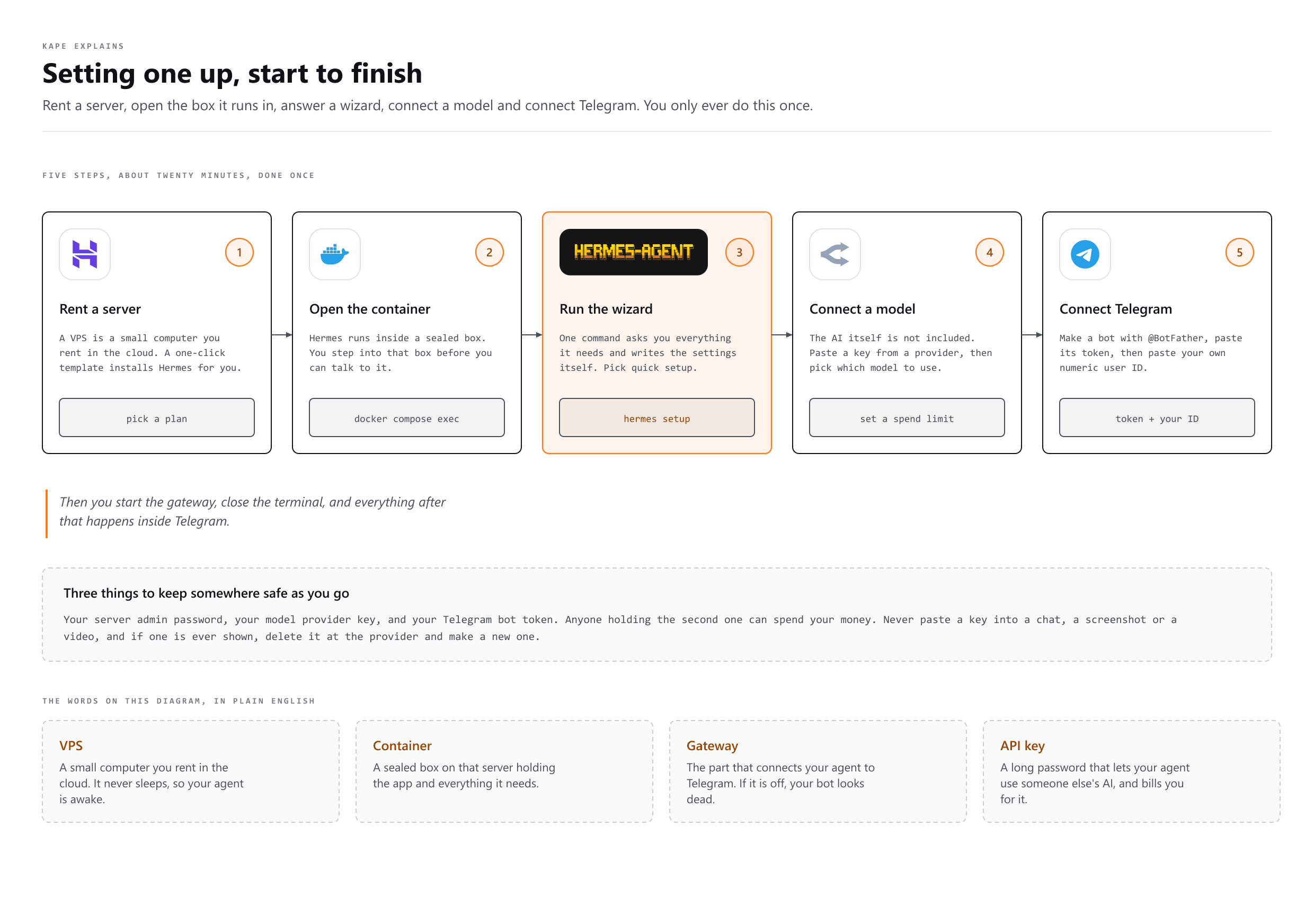
- Rent the server. A provider like Hostinger has a one-click Hermes template, so the install happens for you. You choose a plan, set an admin username and password, and wait a few minutes.
- Open the container. Hermes runs inside Docker. In the server's web terminal you move into its folder and step inside the box before you can talk to it.
- Run the wizard. One command,
hermes setup, asks you everything it needs and writes the settings itself. Pick quick setup. - Connect a model. The AI itself is not included. You paste a key from a provider such as OpenRouter, then pick which model to use. Set a spending limit while you are on that page.
- Connect Telegram. Create a bot with @BotFather, paste its token, then paste your own numeric user ID so nobody else can talk to your agent.
Then you start the gateway, close the terminal, and everything after that happens in Telegram.
What the terminal part looks like
This is the bit that scares people off, and it should not. You are not writing anything. You run three commands and then answer questions from a menu with the arrow keys.
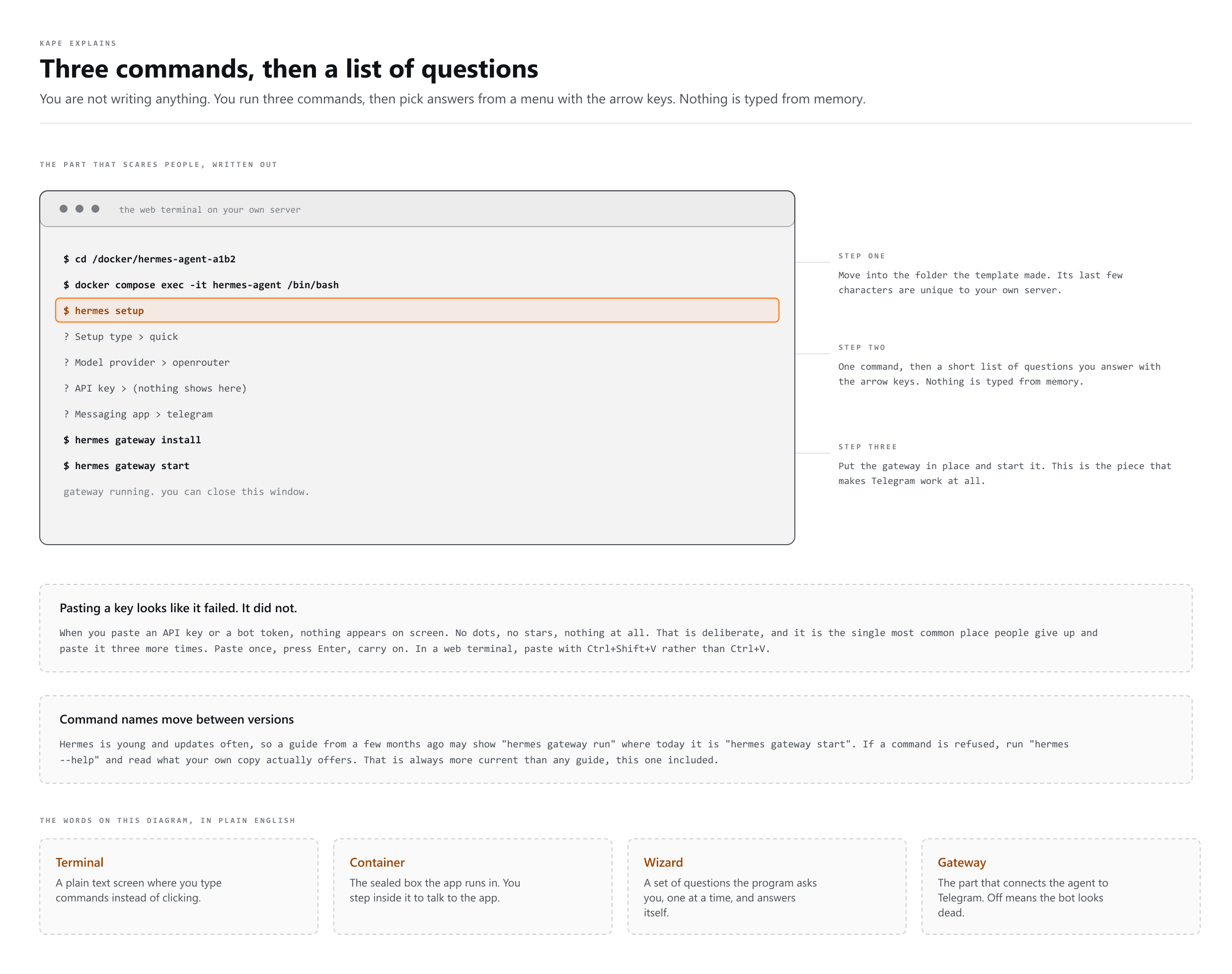
# 1. move into the folder the template made (the last few
#    characters are unique to your server - copy them from
#    the Docker panel in your hosting dashboard)
cd /docker/hermes-agent-a1b2

# 2. step inside the container
docker compose exec -it hermes-agent /bin/bash

# 3. answer the wizard's questions
hermes setup

# 4. put the gateway in place and start it, so Telegram works
hermes gateway install
hermes gateway startThe first message to send
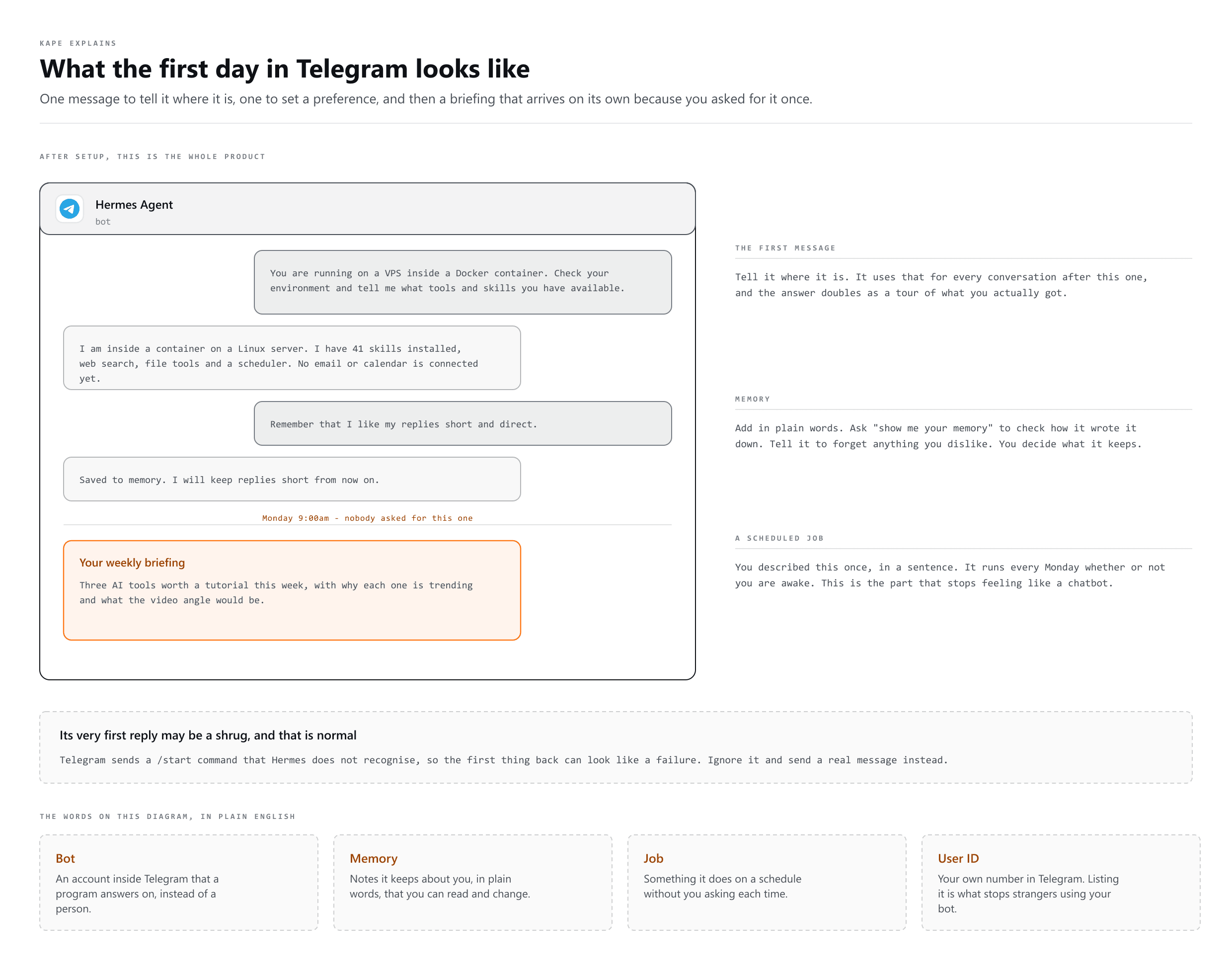
Once the gateway is running, open Telegram, find your bot and start it. Telegram sends a /start command that Hermes does not recognise, so its first reply may be a shrug. That is normal. Ignore it and send a real message.
Make the first one this, or something close to it:
You are running on a VPS inside a Docker container. Check your environment and tell me what tools and skills you currently have available.
It does two jobs at once. It tells the agent where it is, which it will use for the rest of your conversations, and the answer doubles as a tour of what you actually got. This is a good habit with any new agent, not just this one.
Skills: how it learns your way of doing things
A skill is a recipe the agent writes for itself. It ships with a large set already installed, and the interesting part is that it can add more from its own experience.
The move is to make it do a job properly first, then ask it to keep the method:
Research the top trending AI tools right now and come back with the three that would make the most interesting tutorial video. Once you are finished, save your approach as a new skill and call it youtube video research.
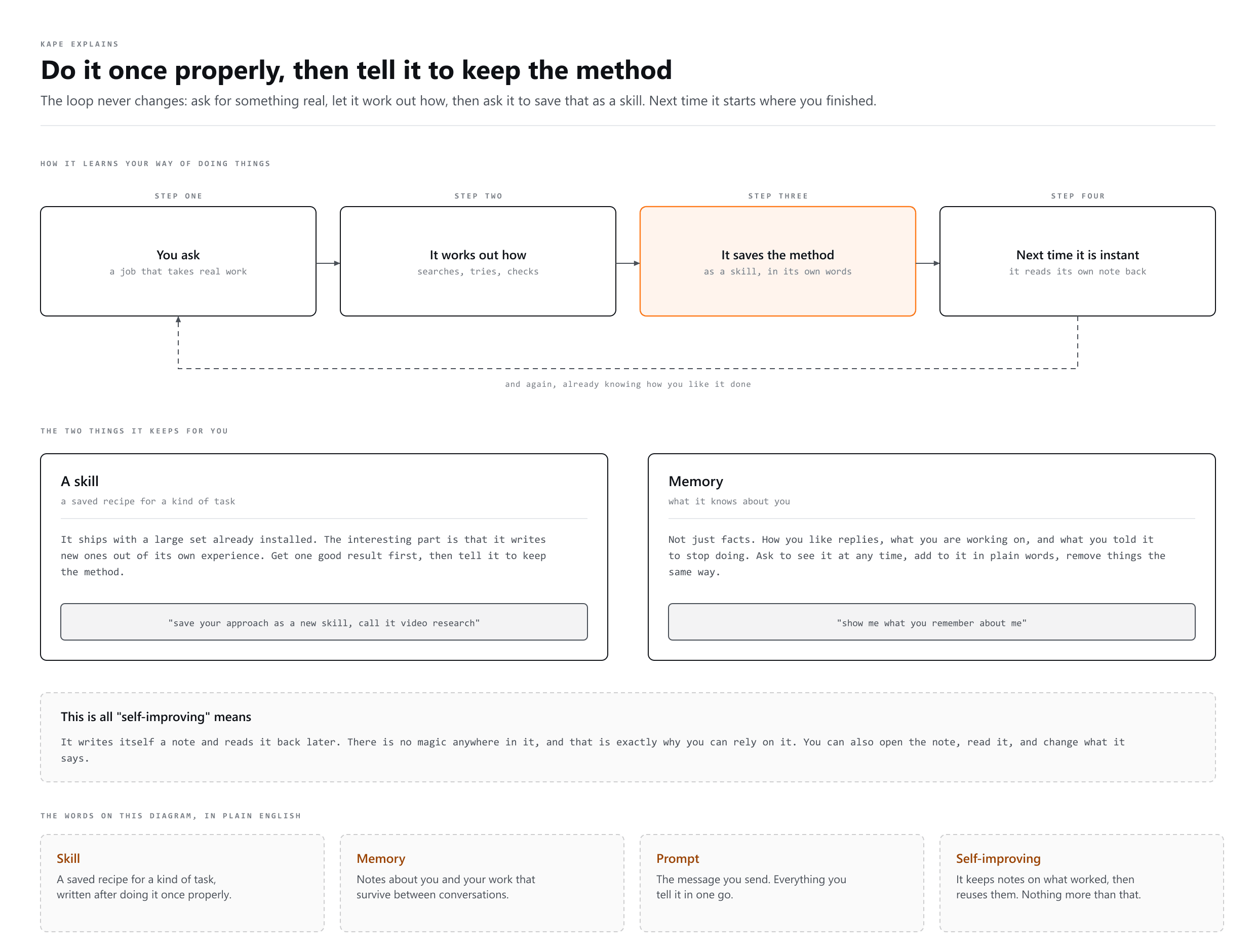
You can do this with anything you repeat: weekly reports, client research, trip planning, invoice chasing. The pattern never changes. Get one good result, then tell it to save how it got there.
Memory: what it knows about you
Ask it "show me what you remember about me" at any time and it will tell you. Add to it in plain words, and remove things the same way.
- To add: "Remember that I like my replies short and direct, with no long explanations unless I ask."
- To check: "Show me your memory again." Worth doing after you add something, so you can see how it wrote it down.
- To remove: if it keeps doing something you dislike, look at its memory first. Usually it saved that as a preference, and you can just tell it to forget it.
You are always the one deciding what it keeps. That is a real difference from tools where the memory is a black box you cannot read.
Jobs: things that happen without you
This is where it stops feeling like a chatbot. You describe a schedule in normal language and it sets it up:
Set up a weekly job that runs every Monday at 9am, researches the top three trending AI tools using the youtube video research skill, and sends me the result here.
It confirms the name, the schedule, which skill it will use, where it will deliver and when it next runs. Ask to see all your jobs any time, and pause or delete them the same way. A job can even be pointed at a different, more capable model than your everyday chat, so the thinking happens where it is worth paying for.
Keeping it safe
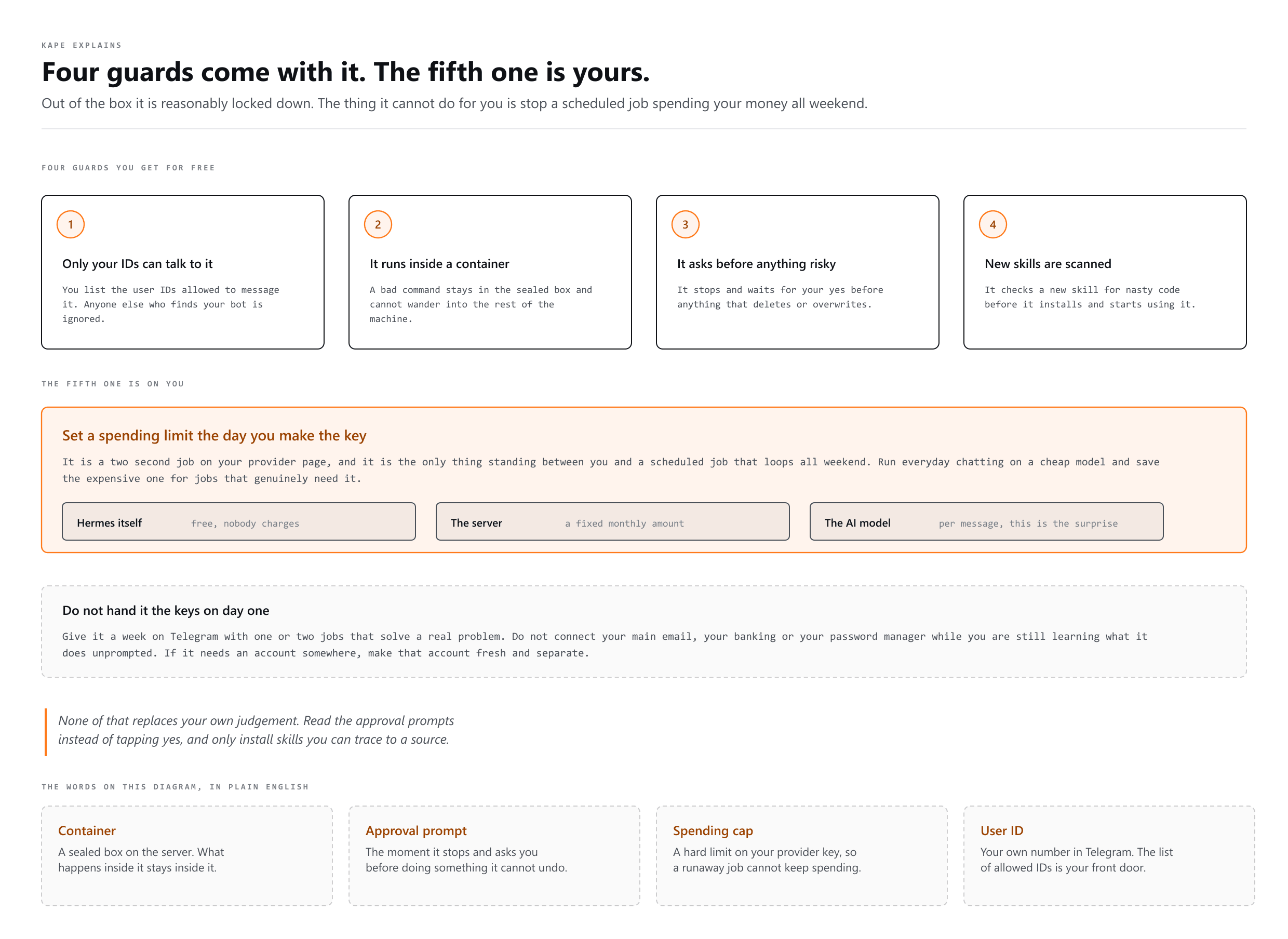
Out of the box it is reasonably locked down. Only the user IDs you listed can talk to it, so anyone else who finds your bot is ignored. It runs inside a container, so a bad command cannot wander into the rest of the machine. It stops and asks before anything destructive, and it scans new skills for nasty code before installing them.
None of that replaces your own judgement. Read the approval prompts instead of tapping yes, and only install skills you understand and can trace to a source.
The cost, honestly
| What | Who charges | How it adds up |
|---|---|---|
| Hermes itself | Nobody | Free and open source |
| The server | Your hosting provider | A fixed monthly amount you already agreed to |
| The AI model | Your model provider | Per message. This is the one that surprises people |
The rule is boring and it works: run everyday chatting and routine scheduled jobs on a cheap model, and save the expensive one for the jobs that genuinely need harder thinking. You can change the default model with one command, and set a specific job to use a different one.
Then set a hard spending limit on your provider key the day you create it. It is a two second job and it is the only thing standing between you and a scheduled job looping all weekend.
Things worth knowing before you start
- Save three things somewhere safe as you go: the server admin password, the model provider key, the Telegram bot token. Anyone holding the second one can spend your money.
- Never paste a key into a chat, a screenshot or a video. If one is ever exposed, delete it at the provider and make a new one. A key you have shown to anyone is already gone.
- Take a snapshot before big changes. Your hosting panel can save a copy of the whole server. Do that before anything you are not sure about, so a bad afternoon is one click away from being undone.
- Coming back later means going back in. The
hermescommands only work from inside the container, so a new terminal session means thecdand thedocker compose execagain before anything else. - Voice notes work already. Send a voice message on Telegram and it will transcribe it. Ask it to enable spoken replies if you want them back.
- Ask it for help with itself. "What skills should I install to help me with X" is a normal thing to say to it, and it will check what it has before answering.
More words
- Prompt Engineering
Writing the instruction so the answer comes back right
- Context Engineering
Choosing what the AI gets to see while it answers
- Loop Engineering
Teaching an AI to check on its own, no prompt needed