
Tracing: Seeing What the AI Actually Did
One record per run, so you can find the broken step
A trace is a recording of everything that happened in one AI run. Without it, when something goes wrong you are guessing. With it, you can point at the exact step.
The problem it solves
A client tells you the bot gave a wrong answer on Tuesday. You open it, try the same question, and it works fine. Now what?
Without a recording, you cannot see what happened on Tuesday. You cannot see what it searched, what it found, what instructions it had, or which step went sideways. You are left changing things and hoping.
What a trace holds
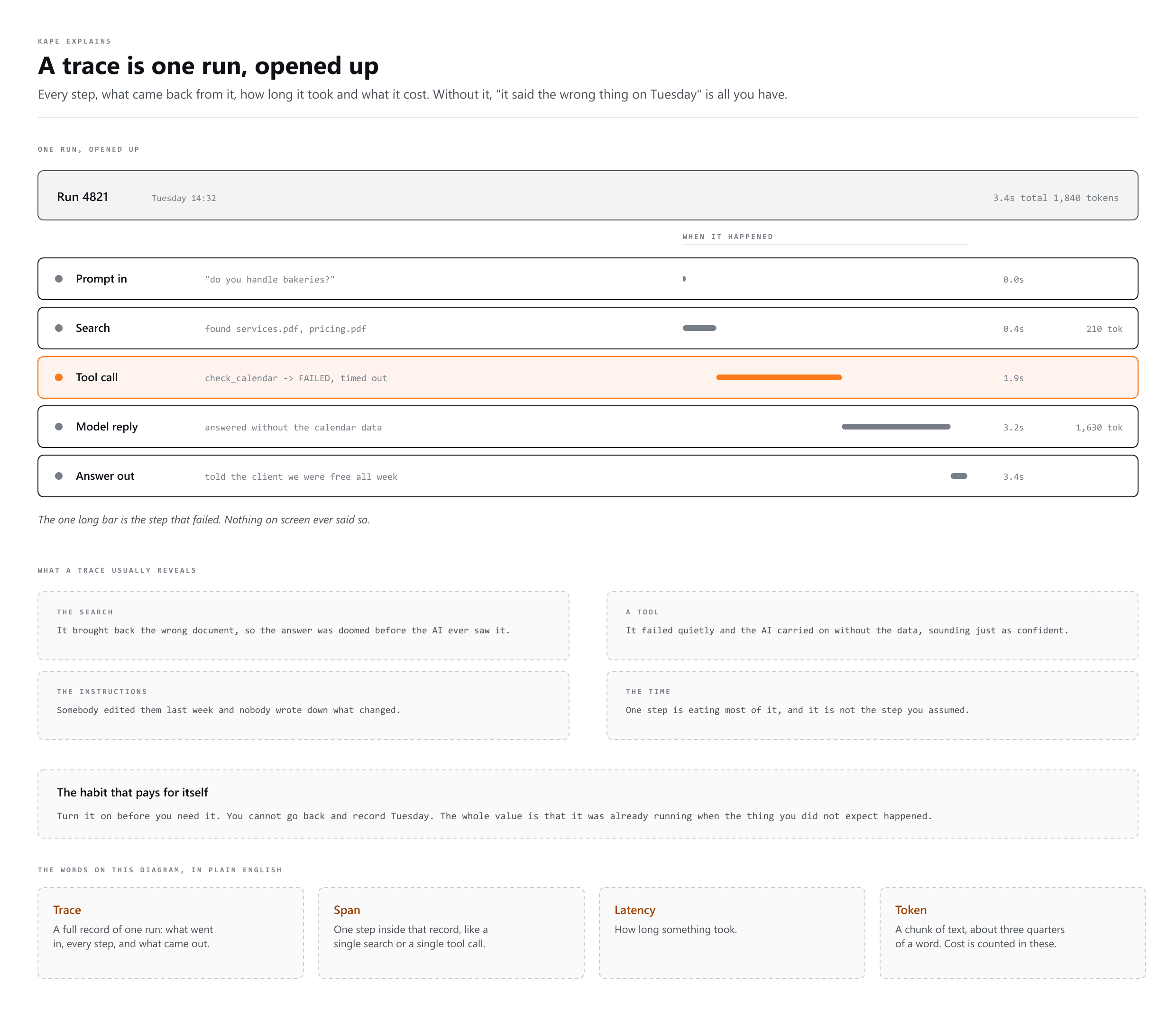
- The input: exactly what the user asked, and what instructions were in force
- Every step: each search, each tool call, each thing it read
- What came back from each of those steps
- The final answer the user actually saw
- Time and cost: how long each step took and how many tokens it used
Two different jobs
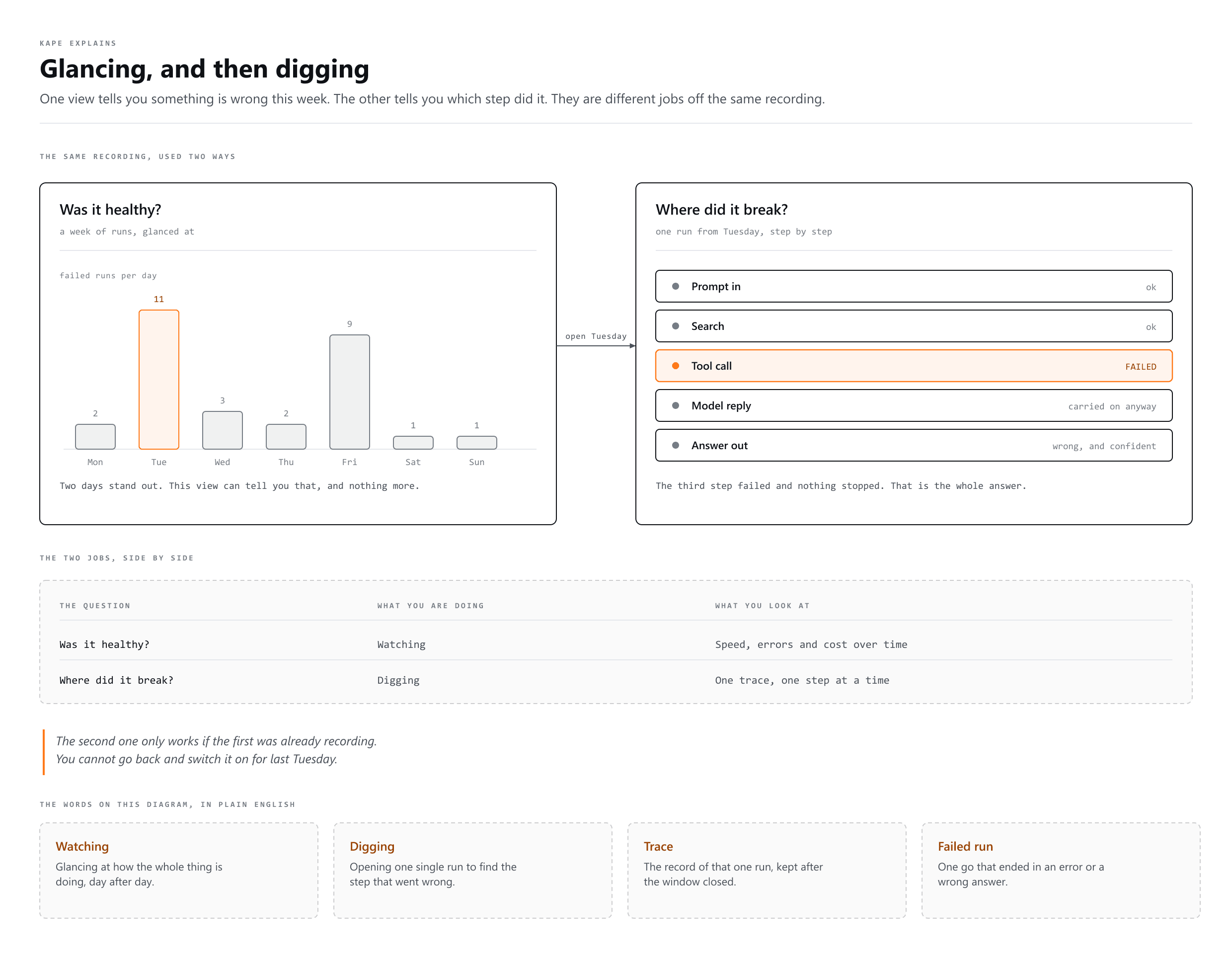
| Question | What you are doing | What you look at |
|---|---|---|
| Was it healthy? | Watching | Speed, errors, cost over time |
| Where did it break? | Digging | One trace, step by step |
The first is something you glance at. The second is something you do when a real complaint arrives, and it only works if you were recording all along.
What tracing usually reveals
In real life the model is often not the problem. Traces tend to show something much more boring:
- The search brought back the wrong document, so the answer was doomed before the AI saw it
- A tool failed quietly and the AI carried on without the data
- The instructions were changed last week and nobody wrote it down
- One step is eating most of the time, and it is not the step you assumed
- The same question is being asked forty times a day and could be answered from a cache
You are already doing a small version of this
When Claude Code prints Search, Read, Edit, Bash as it works, that is tracing in its simplest form: naming each step as it happens so nothing runs invisibly. A proper tracing tool just keeps that record after the window closes.
Do you need a tool for this?
If you are using Claude in a browser, no. You have the conversation, and that is your record. Tracing tools matter when you have built something that runs on its own, for other people, where you were not watching when it ran.
More words
- Prompt Engineering
Writing the instruction so the answer comes back right
- Context Engineering
Choosing what the AI gets to see while it answers
- Loop Engineering
Teaching an AI to check on its own, no prompt needed